

pulga91
Gamma
Verificación en dos pasos activada
Em uma resposta a um post compartilhei com vocês o código que uso nos meus blogs para os botões de compartilhar sem usar scripts desnecessários que muitas vezes deixam as páginas pesadas, incluindo os que usam Font-awesome, que muitas vezes incorporam código desnecessário, na minha opinião.
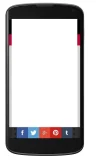
Desta vez venho compartilhar novamente o código dos botões de compartilhar para que vocês os incorporem aos seus posts, além de adicionar uma Sharebar na parte inferior, que é Responsive e funciona perfeitamente em dispositivos móveis.
Sei que o AddThis oferece algo parecido, assim como outros serviços semelhantes, mas são um pouco pesados :/
Os botões adicionados são Facebook, Twitter, Google+, Pinterest e Tumblr; mexendo um pouco no código vocês podem adicionar outro, se quiserem.
Adicionado botão Whatsapp Para evitar escondê-lo com mediaqueries, usa-se a função do wordpress para mostrar conteúdo em celulares; desta forma ele aparece só em dispositivos móveis, incluindo tablets, já que, como bem sabemos, alguns de nós usam whatsapp no tablet.
O botão do Pinterest pega a imagem automaticamente, neste caso a imagem destacada.
Uma amostra do que vocês vão obter com o código a seguir:
Botões de compartilhar
Post normal

Post Responsive

Sharebar
Post normal

Responsive 1

Responsive 2

Nível de dificuldade: Médio-fácil
Tempo de implementação: 5 minutos (ou menos)
Baixamos as imagens que vamos usar deste link
Passo 1: Subimos as imagens para uma pasta do nosso blog, pode ser a pasta de imagens do tema ou uma pasta do tipo 404 Not Found; é importante sabermos o caminho exato, já que vamos usá-lo mais adiante.
Passo 2: Começamos com o CSS, vamos adicionar o seguinte código ao nosso arquivo style.css. *Substituindo miurl.com/sharebarfondo.png pelo endereço correspondente à imagem que subimos antes
*Por comodidade gosto de usar os caminhos completos das imagens, mas vocês podem mudar se não gostarem desta forma
Passo 3: Vamos ao nosso arquivo single.php ou ao arquivo do tema que corresponda à página dos posts e colocamos o seguinte código onde queremos que os botões de compartilhar apareçam, alterando a url das imagens pela url da imagem no seu domínio.
Passo 4: Vamos ao nosso arquivo footer.php ou ao arquivo do tema que corresponda ao nosso footer e adicionamos o seguinte código, também alterando a url pela sua.
Passo 5: Salvar tudo e aproveitar os botões e a Sharebar de compartilhar sem plugin.
Espero que seja útil, pessoalmente acho uma opção de botões de compartilhar melhor do que o uso de plugins.
Abraços
Desta vez venho compartilhar novamente o código dos botões de compartilhar para que vocês os incorporem aos seus posts, além de adicionar uma Sharebar na parte inferior, que é Responsive e funciona perfeitamente em dispositivos móveis.
Sei que o AddThis oferece algo parecido, assim como outros serviços semelhantes, mas são um pouco pesados :/
Os botões adicionados são Facebook, Twitter, Google+, Pinterest e Tumblr; mexendo um pouco no código vocês podem adicionar outro, se quiserem.
Adicionado botão Whatsapp Para evitar escondê-lo com mediaqueries, usa-se a função do wordpress para mostrar conteúdo em celulares; desta forma ele aparece só em dispositivos móveis, incluindo tablets, já que, como bem sabemos, alguns de nós usam whatsapp no tablet.
O botão do Pinterest pega a imagem automaticamente, neste caso a imagem destacada.
Uma amostra do que vocês vão obter com o código a seguir:
Botões de compartilhar
Post normal
Post Responsive
Sharebar
Post normal
Responsive 1
Responsive 2
Nível de dificuldade: Médio-fácil
Tempo de implementação: 5 minutos (ou menos)
Baixamos as imagens que vamos usar deste link
Passo 1: Subimos as imagens para uma pasta do nosso blog, pode ser a pasta de imagens do tema ou uma pasta do tipo 404 Not Found; é importante sabermos o caminho exato, já que vamos usá-lo mais adiante.
Passo 2: Começamos com o CSS, vamos adicionar o seguinte código ao nosso arquivo style.css. *Substituindo miurl.com/sharebarfondo.png pelo endereço correspondente à imagem que subimos antes
Inserir CODE, HTML ou PHP:
.sharesimple{width:100%;margin-top:10px;margin-bottom:10px;}
.sharesimple ul{margin:0;padding:0;}
.share-buttons{list-style: none;}
.share-buttons li{display: inline;}
.sharebar{width:100%;height:50px;background-image:url("miurl.com/sharebarfondo.png");z-index:100;position:fixed;bottom:0px;}
.sharebarsimple{width:80%;margin-top:0px;margin-bottom:0px;margin:0 auto;z-index:1000;position:relative;}
.sharebarsimple ul{margin:0;padding:0;}
.sharebarbuttons{list-style: none;}
.sharebarbuttons li{display: inline;}
.sharetitle{Font-weight:700;color:#fff;font-size:30px;display:inline;float:left;margin-right:10px;margin-top:5px;}
   [MENTION=16931]medi[/MENTION]a screen and (max-width:550px){
.sharesimple{text-align:center;}
.sharetitle{display:none}
.sharebarsimple{width:100%;text-align:center;}
}
*Por comodidade gosto de usar os caminhos completos das imagens, mas vocês podem mudar se não gostarem desta forma
Passo 3: Vamos ao nosso arquivo single.php ou ao arquivo do tema que corresponda à página dos posts e colocamos o seguinte código onde queremos que os botões de compartilhar apareçam, alterando a url das imagens pela url da imagem no seu domínio.
Inserir CODE, HTML ou PHP:
 <h3>Compartir</h3>
 <div class="sharesimple">
								 <ul class="share-buttons">
	<li><a href="https://www.facebook.com/sharer/sharer.php?u=<?php the_permalink(); ?>&t=<? echo urlencode(get_the_title()) ?>" target="_blank" rel="nofollow" title="Compartir en Facebook" onclick="window.open(this.href, 'mywin','left=20,top=20,width=500,height=500,scrollbars=1,toolbar=0,resizable=0'); return false;" ><img src="miurl.com/facebook.png"></a></li>
	<li><a href="http://twitter.com/share?url=<?php the_permalink(); ?>&text=<? echo urlencode(get_the_title()) ?>" target="_blank" rel="nofollow" title="Compartir en Twitter" onclick="window.open(this.href, 'mywin','left=20,top=20,width=500,height=500,scrollbars=1,toolbar=0,resizable=0'); return false;"><img src="miurl.com/twitter.png"></a></li>
	<li><a href="https://plus.google.com/share?url=<?php the_permalink(); ?>" target="_blank" rel="nofollow" title="Compartir en Google+" onclick="window.open(this.href, 'mywin','left=20,top=20,width=500,height=500,scrollbars=1,toolbar=0,resizable=0'); return false;"><img src="miurl.com/gplus.png"></a></li>
<li><a href="http://pinterest.com/pin/create/button/?url=<?php the_permalink(); ?>&media=<?php if(function_exists('the_post_thumbnail')) echo wp_get_attachment_url(get_post_thumbnail_id()); ?>&description=<? echo urlencode(get_the_title()) ?> - <?php the_permalink(); ?>" target="_blank" rel="nofollow" title="Compartir en Pinterest"onclick="window.open(this.href, 'mywin','left=20,top=20,width=500,height=500,scrollbars=1,toolbar=0,resizable=0'); return false;"><img src="miurl.com/pinterest.png"></a></li>
	<li><a href="http://www.tumblr.com/share?v=3&u=<?php echo urlencode(get_permalink()) ?>&t=<? echo urlencode(get_the_title()) ?>" target="_blank" rel="nofollow" title="Compartir en Tumblr" onclick="window.open(this.href, 'mywin','left=20,top=20,width=500,height=500,scrollbars=1,toolbar=0,resizable=0'); return false;"><img src="miurl.com/tumblr.png"></a></li>
<?php
if ( wp_is_mobile() ) {
echo '<li><a href="whatsapp://send?text=<? echo urlencode(get_the_title()) ?> | <?php echo urlencode(get_permalink()) ?>" data-action="share/whatsapp/share" rel="nofollow" title="Compartir en Whatsapp"><img src="miurl.com/whatsapp.png"></a></li>';
} else {
echo '';
}
?>
</ul>
</div>
Passo 4: Vamos ao nosso arquivo footer.php ou ao arquivo do tema que corresponda ao nosso footer e adicionamos o seguinte código, também alterando a url pela sua.
Inserir CODE, HTML ou PHP:
<div class="sharebar"><div class="sharebarsimple"><div class="sharetitle">Compartir</div><ul class="sharebarbuttons">
	<li><a href="https://www.facebook.com/sharer/sharer.php?u=<?php the_permalink(); ?>&t=<? echo urlencode(get_the_title()) ?>" target="_blank" rel="nofollow" title="Compartir en Facebook" onclick="window.open(this.href, 'mywin','left=20,top=20,width=500,height=500,scrollbars=1,toolbar=0,resizable=0'); return false;"><img src="miurl.com/facebook.png"></a></li>
	<li><a href="http://twitter.com/share?url=<?php the_permalink(); ?>&text=<? echo urlencode(get_the_title()) ?>" target="_blank" rel="nofollow" title="Compartir en Twitter" onclick="window.open(this.href, 'mywin','left=20,top=20,width=500,height=500,scrollbars=1,toolbar=0,resizable=0'); return false;"><img src="miurl.com/twitter.png"></a></li>
	<li><a href="https://plus.google.com/share?url=<?php the_permalink(); ?>" target="_blank" rel="nofollow" title="Compartir en Google+" onclick="window.open(this.href, 'mywin','left=20,top=20,width=500,height=500,scrollbars=1,toolbar=0,resizable=0'); return false;"><img src="miurl.com/gplus.png"></a></li>
<li><a href="http://pinterest.com/pin/create/button/?url=<?php the_permalink(); ?>&media=<?php if(function_exists('the_post_thumbnail')) echo wp_get_attachment_url(get_post_thumbnail_id()); ?>&description=<? echo urlencode(get_the_title()) ?> - <?php the_permalink(); ?>" target="_blank" rel="nofollow" title="Compartir en Pinterest" onclick="window.open(this.href, 'mywin','left=20,top=20,width=500,height=500,scrollbars=1,toolbar=0,resizable=0'); return false;"><img src="miurl.com/pinterest.png"></a></li>
	<li><a href="http://www.tumblr.com/share?v=3&u=<?php echo urlencode(get_permalink()) ?>&t=<? echo urlencode(get_the_title()) ?>" target="_blank" rel="nofollow" title="Compartir en Tumblr" onclick="window.open(this.href, 'mywin','left=20,top=20,width=500,height=500,scrollbars=1,toolbar=0,resizable=0'); return false;"><img src="miurl.com/tumblr.png"></a></li>
<?php
if ( wp_is_mobile() ) {
echo '<li><a href="whatsapp://send?text=<? echo urlencode(get_the_title()) ?> | <?php echo urlencode(get_permalink()) ?>" data-action="share/whatsapp/share" rel="nofollow" title="Compartir en Whatsapp"><img src="miurl.com/whatsapp.png"></a></li>';
} else {
echo '';
}
?>
</ul></div></div>
Passo 5: Salvar tudo e aproveitar os botões e a Sharebar de compartilhar sem plugin.
Espero que seja útil, pessoalmente acho uma opção de botões de compartilhar melhor do que o uso de plugins.
Abraços
Última edição:


