

davidtorresruiz
Delta
Programador
No recomendado
Usuário com poucas negociações! Use sempre o saldo do ForoBeta!
Hola tengo una duda aca esta el codigo para cambiar las imegenes de las categorias del foro SMF y la explicacion solo que la programacion que expresare no es parecida a la mia si alguien puede ayudarme se lo agradesco colocare la programacion que he conseguido y colocare la programacion mia para ver si pueden ayudarme a modificar mi programacion, gracias...
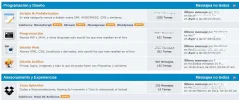
Ejemplo como quedaria:
1. Instalar MOD Manual:
Board.Index.Template.php:
Remplazas por:
Message.Index.Template.php:
Buscas por:
Remplazas por:
Todo esos archivos los encontramos en Themes/tu themes/
2. Agregando las imágenes.
A continuación enseñare a poner las imágenes.
- Para poner la imagen debes crear una ruta en Themes/tu-themes/ creas una carpeta/ruta llamada icons, osea quedaría así Themes/tu themes/icons.
- Para poner una imagen por foro, luego de crear la carpeta te metes dentro un ejemplo de foro es el español que su url es:
Simple Machines Community Forum - Index 16.0
Nos fijamos en los ultimos números que es 16.0, entonces vamos a Themes/tu themes/icons y creamos una carpeta llamada 16, dentro ponemos el on.gif,off.gif y on2.gif
¿Por qué es 16?.
Porque claro, el .0 no cuenta, entonces verás casos así:
Simple Machines Community Forum - Index 40.0
Fácil, haces una carpeta llamada 40 y listo ;D!.
ok lo de la carpeta ya lo hice solo que he intentado de 10 formas programar mis codigos con esos y nada, este es mi codigo:
Ejemplo como quedaria:
1. Instalar MOD Manual:
Board.Index.Template.php:
Inserir CODE, HTML ou PHP:
// If the board is new, show a strong indicator.
            if ($board['new'])
               echo '<img src="', $settings['images_url'], '/on.gif" alt="', $txt[333], '" title="', $txt[333], '" />';
            // This board doesn't have new posts, but its children do.
            elseif ($board['children_new'])
               echo '<img src="', $settings['images_url'], '/on2.gif" alt="', $txt[333], '" title="', $txt[333], '" />';
            // No new posts at all! The agony!!
            else
               echo '<img src="', $settings['images_url'], '/off.gif" alt="', $txt[334], '" title="', $txt[334], '" />';
Remplazas por:
Inserir CODE, HTML ou PHP:
if ($board['new']) {
               if (file_exists($settings['theme_dir'] . '/icons/' . $board['id'] . '/on.gif'))
                  $board_new_img=$settings['theme_url']. '/icons/' . $board['id'] . '/on.gif';
               else
                  $board_new_img=$settings['images_url']. '/on.gif';

                  echo '<img src="', $board_new_img,'" alt="', $txt[333], '" title="', $txt[333], '" border="0" />';
            } elseif ($board['children_new']) {
               if (file_exists($settings['theme_dir'] . '/icons/' . $board['id'] . '/on2.gif'))
                  $childboard_new_img=$settings['theme_url']. '/icons/' . $board['id'] . '/on2.gif';
               else
                  $childboard_new_img=$settings['images_url']. '/on2.gif';

                  echo '<img src="', $childboard_new_img,'" alt="', $txt[333], '" title="', $txt[333], '" border="0" />';
            } else {
               if (file_exists($settings['theme_dir'] . '/icons/' . $board['id'] . '/off.gif'))
                  $board_nonew_img=$settings['theme_url']. '/icons/' . $board['id'] . '/off.gif';
               else
                  $board_nonew_img=$settings['images_url']. '/off.gif';

                  echo '<img src="', $board_nonew_img,'" alt="', $txt[334], '" title="', $txt[334], '" border="0" />';
Message.Index.Template.php:
Buscas por:
Inserir CODE, HTML ou PHP:
// If the board is new, show a strong indicator.
         if ($board['new'])
            echo '<img src="', $settings['images_url'], '/on.gif" alt="', $txt[333], '" title="', $txt[333], '" />';
         // This board doesn't have new posts, but its children do.
         elseif ($board['children_new'])
            echo '<img src="', $settings['images_url'], '/on2.gif" alt="', $txt[333], '" title="', $txt[333], '" />';
         // No new posts at all! The agony!!
         else
            echo '<img src="', $settings['images_url'], '/off.gif" alt="', $txt[334], '" title="', $txt[334], '" />';
Remplazas por:
Inserir CODE, HTML ou PHP:
  if ($board['new']) {
               if (file_exists($settings['theme_dir'] . '/icons/' . $board['id'] . '/on.gif'))
                  $board_new_img=$settings['theme_url']. '/icons/' . $board['id'] . '/on.gif';
               else
                  $board_new_img=$settings['images_url']. '/on.gif';

                  echo '<img src="', $board_new_img,'" alt="', $txt[333], '" title="', $txt[333], '" border="0" />';
            } elseif ($board['children_new']) {
               if (file_exists($settings['theme_dir'] . '/icons/' . $board['id'] . '/on2.gif'))
                  $childboard_new_img=$settings['theme_url']. '/icons/' . $board['id'] . '/on2.gif';
               else
                  $childboard_new_img=$settings['images_url']. '/on2.gif';

                  echo '<img src="', $childboard_new_img,'" alt="', $txt[333], '" title="', $txt[333], '" border="0" />';
            } else {
               if (file_exists($settings['theme_dir'] . '/icons/' . $board['id'] . '/off.gif'))
                  $board_nonew_img=$settings['theme_url']. '/icons/' . $board['id'] . '/off.gif';
               else
                  $board_nonew_img=$settings['images_url']. '/off.gif';

                  echo '<img src="', $board_nonew_img,'" alt="', $txt[334], '" title="', $txt[334], '" border="0" />';
            }
Todo esos archivos los encontramos en Themes/tu themes/
2. Agregando las imágenes.
A continuación enseñare a poner las imágenes.
- Para poner la imagen debes crear una ruta en Themes/tu-themes/ creas una carpeta/ruta llamada icons, osea quedaría así Themes/tu themes/icons.
- Para poner una imagen por foro, luego de crear la carpeta te metes dentro un ejemplo de foro es el español que su url es:
Simple Machines Community Forum - Index 16.0
Nos fijamos en los ultimos números que es 16.0, entonces vamos a Themes/tu themes/icons y creamos una carpeta llamada 16, dentro ponemos el on.gif,off.gif y on2.gif
¿Por qué es 16?.
Porque claro, el .0 no cuenta, entonces verás casos así:
Simple Machines Community Forum - Index 40.0
Fácil, haces una carpeta llamada 40 y listo ;D!.
ok lo de la carpeta ya lo hice solo que he intentado de 10 formas programar mis codigos con esos y nada, este es mi codigo:
Inserir CODE, HTML ou PHP:
   // If the board or children is new, show an indicator.

			if ($board['new'] || $board['children_new'])
				echo '
<img src="', $settings['images_url'], '/' .$context['theme_variant_url'], 'on', $board['new'] ? '' : '2', '.png" alt="', $txt['new_posts'], '" title="', $txt['new_posts'], '" />';

// Is it a redirection board?
elseif ($board['is_redirect'])
echo '
<img src="', $settings['images_url'], '/' .$context['theme_variant_url'], 'redirect.png" alt="*" title="*" />';

// No new posts at all! The agony!!
			else
				echo '
<img src="', $settings['images_url'], '/' .$context['theme_variant_url'], 'off.png" alt="', $txt['old_posts'], '" title="', $txt['old_posts'], '" />';

			echo '</a></td>
<td class="info">
<a class="subject" href="', $board['href'], '" name="b', $board['id'], '">', $board['name'], '</a>';

// Fin If the board or children is new, show an indicator.
Última edição:
